


Description
Download Blu-ray to DVD – convert Blu-ray to DVD, Blu-ray to DVD converter, DVD creator, home movie converter, video conversion tool
Overview
Blu-ray to DVD is a specialized software tool designed to convert high-definition Blu-ray disc content into standard DVD format, enabling playback on conventional DVD players. This application addresses a common challenge faced by users who own extensive Blu-ray collections but lack access to Blu-ray-compatible devices at home or in shared environments. The core purpose of the software is to preserve and adapt high-quality video content for broader compatibility without compromising visual fidelity. Target users include home media enthusiasts, families with older DVD players, and individuals seeking to archive or share their digital video libraries across different devices.
The software streamlines the conversion process into three intuitive steps, minimizing technical barriers for users with limited experience in digital media manipulation. By maintaining optimal image quality during the conversion, it ensures that the viewing experience remains enjoyable and true to the original source. Although the developer did not provide additional technical details about the underlying encoding engine or file compression algorithms, the emphasis on quality analysis suggests a focus on intelligent processing to balance file size and visual output. This makes the app particularly valuable within the digital media ecosystem, where format compatibility and content longevity are critical concerns.
Key Features & Functionality
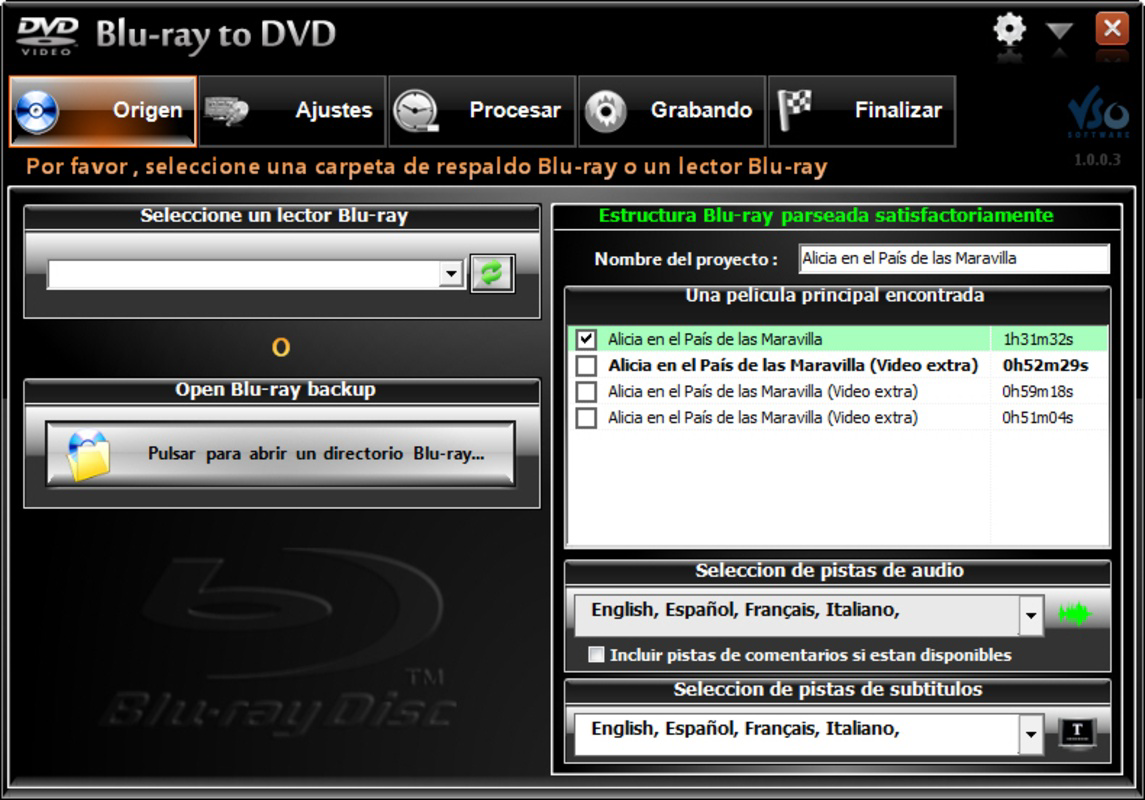
- User-Friendly Interface: The application features a clean, straightforward layout designed to guide users through each stage of the conversion process. Clear labels, visual cues, and step-by-step instructions reduce the learning curve, making it accessible even to non-technical users.
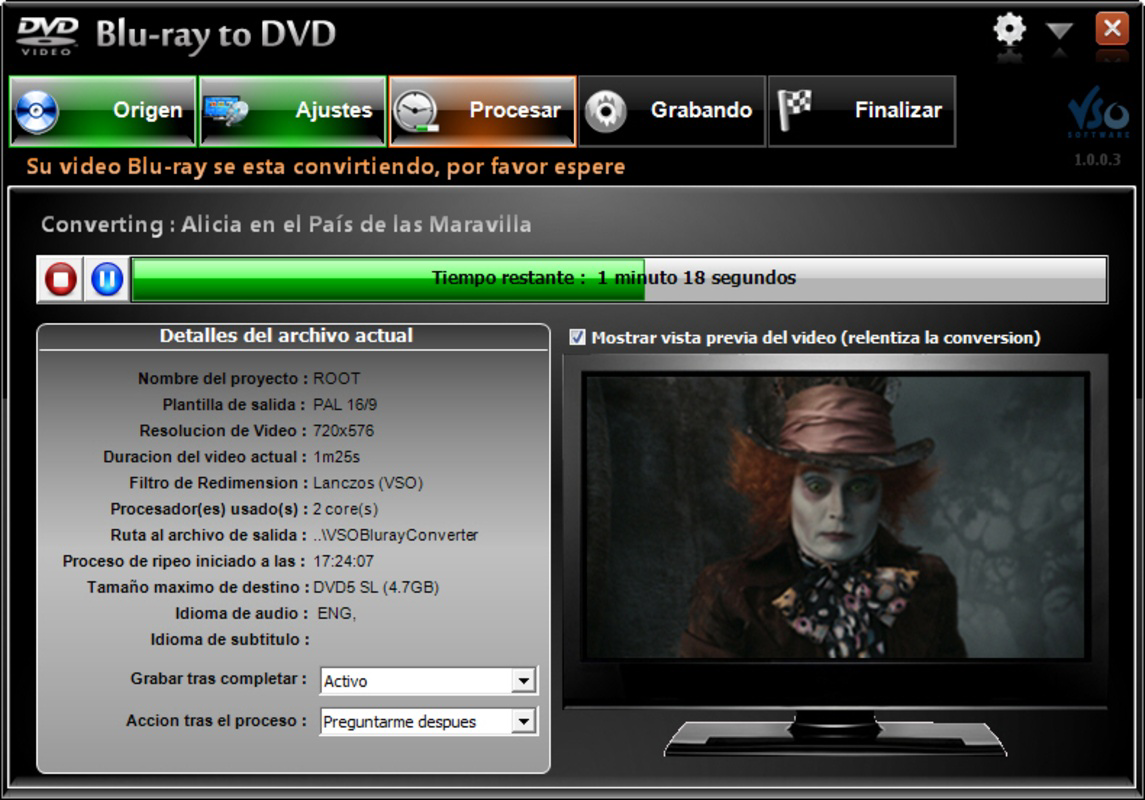
- Three-Step Conversion Workflow: Users begin by selecting the source Blu-ray disc and configuring audio preferences. The next step involves a quality analysis phase, which assesses the source material to determine optimal encoding settings. Finally, the user initiates the burn process to create a playable DVD.
- Advanced Quality Analysis Tool: This built-in feature evaluates video and audio elements to detect potential degradation points. It automatically adjusts encoding parameters to preserve clarity, color depth, and audio synchronization, resulting in a high-fidelity output.
- Universal DVD Compatibility: Output DVDs are created using standard DVD-Video specifications, ensuring they can be played on any consumer-grade DVD player, including those found in living rooms, cars, and older home theater systems.
- Multi-Language Audio Support: Users can choose from multiple audio tracks during conversion, allowing them to retain original language tracks, subtitles, or alternate sound mixes for a personalized viewing experience.
For example, a user with a Blu-ray collection of foreign films can convert each disc to DVD while selecting the original audio track and preferred subtitle language, making it easier to share content with family members who prefer different languages. This functionality enhances the app’s utility in multilingual households or for content archiving.
Interface, UX & Performance
The user interface of Blu-ray to DVD is designed with simplicity and clarity in mind. Navigation is linear and consistent, following a step-by-step progression that aligns with the three-phase conversion process. Visual design elements are minimal, focusing on functionality rather than ornamentation, which reduces cognitive load and prevents user confusion. Buttons are clearly labeled, and status indicators provide real-time feedback during processing, helping users understand the current stage of conversion.
Although the developer did not list formal performance metrics, the application appears to be optimized for stability during long encoding sessions. The software maintains responsiveness throughout the conversion process, allowing users to monitor progress without system freezes or crashes. It is expected to function efficiently on modern Windows systems, though specific hardware requirements were not disclosed. The file size of 25.4 MB suggests a lightweight footprint, which may contribute to faster startup times and lower memory usage during operation. However, the actual performance on older or low-end devices remains unverified due to lack of detailed system specifications.
Platform Compatibility & Technical Requirements
Blu-ray to DVD is available exclusively for the Windows platform. The current version is 1.0.0, and the application requires 25.4 MB of storage space for installation. The developer did not specify minimum OS requirements, nor did they list any hardware prerequisites such as processor speed, RAM, or GPU capabilities. Compatibility with specific Windows versions (e.g., Windows 10, 11) was not fully disclosed. Users are advised to ensure their system supports Blu-ray disc reading and DVD burning functionality, as the software relies on these features for full operation.
Given that the software was released in 2014, it may not be optimized for the latest Windows updates or security protocols. Users should exercise caution when installing software from older releases, particularly when downloading from third-party sources. The absence of an official update history or version changelog further limits transparency regarding long-term support or bug fixes.
Pros and Cons
- Simple, intuitive interface suitable for non-technical users
- Streamlined three-step conversion process
- Advanced quality analysis to preserve visual fidelity
- Output DVDs are compatible with standard home players
- Supports multiple audio tracks and language selection
- Software was released in 2014; no recent updates or modernization
- Specific system requirements not listed
- No information on compatibility with newer Windows versions
- File size is small, but performance on older hardware is unverified
- Limited support for newer disc formats or high-resolution content
FAQ
Is Blu-ray to DVD safe to download and install?
The software is available through official channels, but users should ensure they download from trusted sources to avoid bundled malware or unauthorized modifications.
Can I use this app to convert DVDs to Blu-ray?
No. The application is designed specifically for converting Blu-ray discs to DVD format, not the reverse.
Does the app support 4K Blu-ray discs?
Based on the available information, the software is intended for standard Blu-ray discs. Support for 4K content was not confirmed.
How long does the conversion process typically take?
Processing time depends on the length of the source disc, system performance, and quality settings. No specific duration was provided by the developer.
Is there a free version or trial available?
The software is listed at a price of $49.99, with no indication of a free trial or demo version.
Final Thoughts
Blu-ray to DVD remains a functional tool for users seeking to adapt high-definition content for playback on standard DVD players. Its simple workflow, quality analysis feature, and support for multiple audio tracks make it a practical solution for media archiving and family sharing. While the software’s age and lack of updated documentation raise concerns about long-term compatibility and security, its core functionality continues to serve its intended purpose. For individuals with older DVD players and a need to convert legacy Blu-ray content, this application offers a reliable, no-frills solution. However, users should carefully assess their system’s compatibility and consider the risks associated with using software from 2014.
Download Blu-ray to DVD now
Guides & Tutorials for Blu-ray to DVD
How to install Blu-ray to DVD
- Click the Preview / Download button above.
- Once redirected, accept the terms and click Install.
- Wait for the Blu-ray to DVD download to finish on your device.
How to use Blu-ray to DVD
This software is primarily used for its core features described above. Open the app after installation to explore its capabilities.
User Reviews for Blu-ray to DVD 0
No reviews found


